

When a repair bench moves from phone screens to tablets, industrial display panels, and larger LCD modules, the work changes quickly. A laminating machine lcd plan is no longer only about machine size. It is about hand movement, dust control, plate space, daily rhythm, and whether the finished screen still looks clean under real working light.
The Real Scene: Large LCD Work Feels Different at the Bench
At 10 a.m., a phone screen repair can feel simple. The glass is small, the OCA sheet is familiar, and the movement from cleaning pad to lamination platform is short. However, by mid-afternoon, a 14-inch tablet or 17-inch display panel changes the mood of the room. The part takes more table space. The film catches more dust. A small wrist movement becomes a visible alignment error.
That is why larger LCD lamination should not be treated as “phone repair, but wider.” In real use, the screen needs a calmer table, a cleaner staging habit, and a platform that leaves enough space around the glass. Otherwise, the operator starts lifting, turning, and correcting the panel too often. Those extra movements create the defects that appear later as bubbles, haze, edge lift, or tiny dust marks.
A practical laminating machine LCD setup should make the bench feel less tense. The screen should sit flat. The film should peel without rushing. The operator should not need to reach over tools or slide the panel past an open carton. These details sound ordinary, yet they decide whether a larger LCD job becomes repeatable or turns into one careful rescue after another.
In a small repair room, this difference is easy to feel. A phone screen can move through the station in a few minutes. A larger tablet panel asks for more space, better lighting, and a slower hand. The work is not harder because the machine is mysterious. It is harder because every small habit becomes easier to see on a larger surface.
Definition and Suitable Scenarios
A laminating machine for LCD repair bonds display-related layers under controlled pressure, often with vacuum support. In daily repair language, the work may involve cover glass, OCA film, polarizer film, protective film, touch layers, or panel samples. The goal is simple: keep the bonding area clean, flat, and optically clear enough for the next assembly step.
For 14- to 21-inch jobs, suitable scenarios usually include tablet refurbishment, iPad-style screen repair, industrial display sample work, HMI screen bonding, automotive display testing, and small production runs for display modules. In these cases, a standard phone laminating machine may still serve small screens well. However, larger panels need more plate area, steadier handling, and a workflow that protects the exposed adhesive surface for a longer time.
The important point is not only the screen diagonal. A 15.6-inch industrial panel with a long flex cable may be harder to place than a plain tablet glass panel. Likewise, a 21-inch job may not be routine work every day, but when it appears, the station must be ready. A good plan considers the largest normal job, not the easiest job of the week.
This is also where machine choice becomes tied to the job mix. A compact machine can be efficient when the bench is mostly focused on phones. A larger vacuum platform becomes more useful when the work includes tablets, larger touch panels, and industrial display modules that need more stable placement.

Capacity Logic: Plan Around the Hardest Regular Job
A repair room often judges a machine by the screen size written on the product page. That is a useful start, but it is not enough. The actual question is whether the panel can be cleaned, aligned, placed, pressed, removed, inspected, and transferred without awkward movement. If one of those steps feels cramped, the capacity plan is already weak.
For example, a large vacuum platform may look generous on paper. However, the usable area also depends on the panel border, flex cable direction, fixture needs, and the operator’s hand clearance. A large screen should not sit on the very edge of the platform. It needs margin, because hands still need room to settle the part and lift it without touching the active surface.
This is where a screen laminator becomes part of a working lane rather than just a single device. The lane includes a clean wipe area, a film preparation space, a lamination position, and a post-check area. When these four zones are too close together, the operator starts stacking tools and parts. Soon, a liner sheet falls near the glass, dust moves across the table, and the next panel shows a mark under side light.
A clearer way to think about size
A 14-inch screen usually needs better handling, but one trained operator can often manage it calmly. A 16-inch screen begins to expose the weakness of a crowded table. A 21-inch job asks for a slower rhythm, more table depth, and a real decision about whether the work should run in the same lane as phone screens.
Therefore, the best capacity plan starts with three numbers: the largest screen handled every week, the largest screen handled every month, and the daily quantity of mixed display work. Those numbers are more useful than a single “maximum size” label, because they reveal whether the large job is occasional or routine.
The hidden capacity issue: operator confidence
There is also a human side. A larger panel makes mistakes feel expensive. When a part is hard to replace, the operator moves differently. Hands slow down. The film liner comes off in smaller pulls. Inspection takes longer. This is normal, and the machine plan should respect it.
For that reason, a laminating machine LCD line should not chase speed first. It should chase a stable feeling at the bench. Once the team can repeat the result without nervous corrections, speed improves naturally. Trying to go fast before the process feels stable usually creates rework.
Key Factors That Matter More Than Raw Parameters
Machine parameters still matter, but they should not dominate the decision. In real repair work, the most useful factors are the ones that change the result at the bench: usable plate room, vacuum stability, pressure consistency, film handling, and the way the panel enters and leaves the machine.
The safest approach is to read every parameter through a practical question. Does the platform leave enough margin around the screen? Can the panel sit flat without cable stress? Can the operator lift the screen without touching the active area? Can the station handle a larger job without moving tools around every five minutes?
Usable platform area
Platform size is not only about the diagonal screen number. A larger LCD may have a wide black border, a long cable, or a frame that changes how it sits on the plate. The usable platform must allow the full panel to rest flat with room left around the edge.
A good habit is to place a real sample on the platform before building the process around it. If the sample sits too close to the edge, the job may still be possible, but it will not feel stable. That unstable feeling often becomes slower work and more rejected screens.
Vacuum and pressure control
Vacuum helps remove air before bonding, while pressure brings the layers together. For OCA work, both stages matter. A stable vacuum environment can reduce trapped air, but it cannot save a dusty panel or a badly placed film sheet.
Pressure should also match the job type. Too little pressure may leave weak contact. Too much pressure may stress the LCD, especially around corners and cable areas. For repeat work, process notes are often more useful than memory. A simple setting record can stop the same mistake from happening twice.
Cycle time and real output
Cycle time often looks attractive in product comparison. However, real output includes cleaning, film positioning, dry alignment, loading, unloading, inspection, and possible bubble removal. For larger screens, those steps may take longer than the press cycle itself.
The better question is not “How fast can the machine run?” The better question is “How many acceptable screens leave the bench in one shift?” This is a more honest measure. It includes skill, space, defect control, and the machine itself.
A Practical Workflow for 14- to 21-Inch LCD Lamination
The best workflow is not complicated. It is quiet, repeatable, and easy to follow on a busy day. Every larger screen should move through the same stages: check, clean, dry align, expose film, laminate, inspect, then transfer to bubble removal or storage. When one stage is skipped, the defect usually appears two steps later.
Exact settings still depend on the screen, film, adhesive, and machine model. However, the habit behind the process stays the same: reduce unnecessary movement before the adhesive touches the panel. That one habit protects the work more than any dramatic trick.
1. Incoming check before film is opened
First, the panel should be checked under steady light. Look at corners, cable position, frame flatness, old adhesive residue, and any pressure marks. A short one-minute check prevents the wrong process from starting. It also gives the operator a reason to slow down before the repair becomes expensive.
For larger panels, a small note on the tray helps. Write the screen size, film type, and visible risk. Later, when several panels sit near the station, this note prevents confusion. It is a small habit, but it saves real time during a mixed shift.
2. Cleaning with two light angles
Next, cleaning should happen with enough table space. A larger panel should not be cleaned halfway under a shelf or beside an open package of parts. Use steady wipe passes, then tilt the panel and inspect again. Dust that hides under top light often appears under side light.
This step feels slow, especially when the queue is full. However, it is still faster than removing a visible speck after bonding. A clean start is the one shortcut that actually works.
3. Dry alignment before adhesive exposure
Before removing the final liner, the panel should be placed in its intended position. This dry run confirms the edge, cable direction, and hand path. It also shows whether the operator has enough room to make the final movement without reaching across the adhesive surface.
For repeat jobs, tape marks or a simple fixture can help. The goal is not to make the bench fancy. The goal is to remove guesswork. A small alignment guide can prevent a 1 mm drift across a wide panel.
4. Controlled film placement
Film placement is where many larger screens lose their clean result. The liner should come off in a controlled motion, not in one dramatic pull. Static, dust, and film sag become more noticeable as the surface area grows.
For OCA work, the adhesive edge should stay untouched. For protective film, the center should not sag before the first contact point is ready. If the film looks wrong before lamination, stop and reset. The press will not hide a bad start.
5. Vacuum lamination and calm unloading
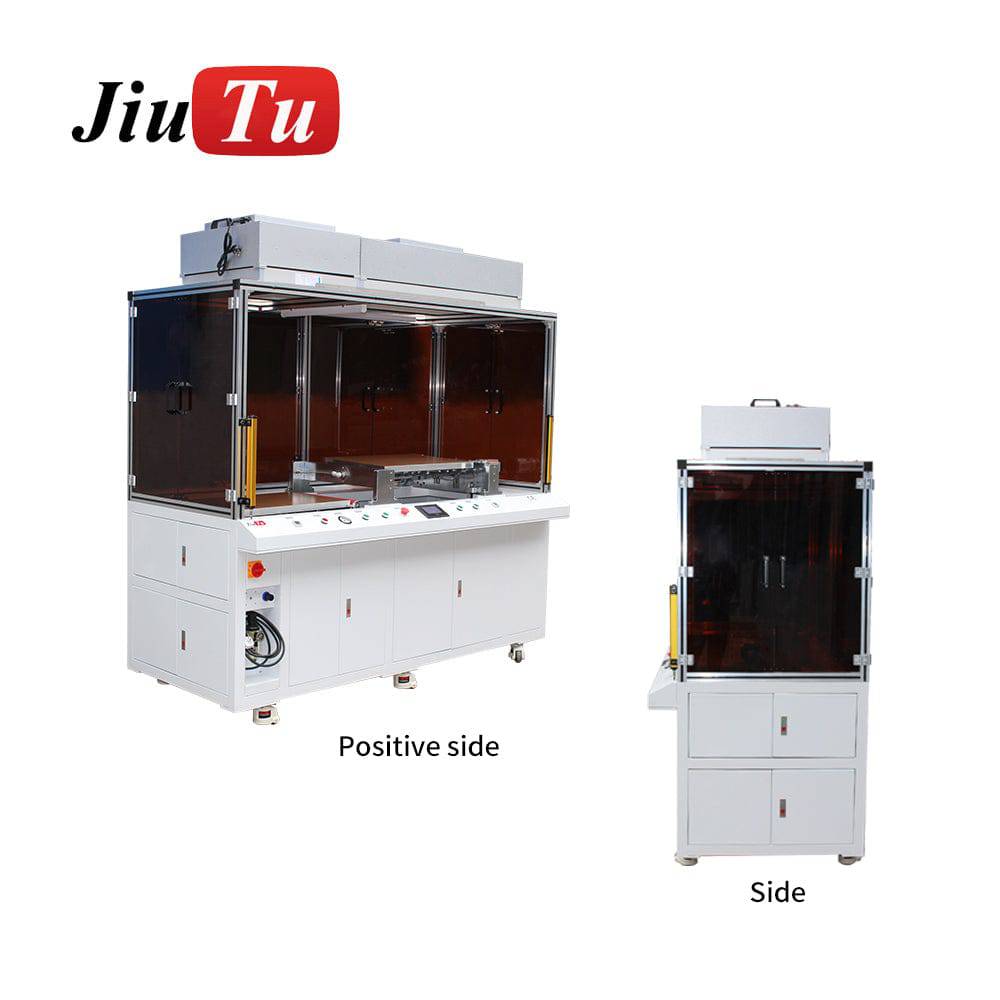
During vacuum lamination, the panel should sit fully inside the stable working area. Flex cables, pull tabs, and thick edge features should not sit where pressure may crush them. The operator should also stay near the station during the cycle, especially when an external pump or air compressor supports the process.
After lamination, unloading matters. A larger panel should be lifted with support, then placed on a clean inspection surface. Sliding the screen across the table can scratch the part or drag dust back onto the surface.
Selection Tips: What Actually Matters Before Choosing a Setup
A good equipment choice starts with the work pattern. If the repair room mostly handles phones, then a compact phone laminating machine still makes sense. It keeps loading fast, saves bench space, and supports daily screen repair without unnecessary complexity.
However, when tablets, 14-inch panels, or larger display modules appear every week, the decision changes. The station needs more working room and stronger process control. In that situation, choosing only by price or machine size can create a mismatch. The better question is: which setup makes the difficult job feel ordinary?
Choose by defect pattern, not by catalog order
If edge bubbles repeat, review cleaning, OCA storage, pressure stability, and panel support. If alignment shifts repeat, check fixtures, plate margin, and loading motion. If soft film wrinkles repeat, review the film path before adding more pressure.
This is a stronger approach than simply asking for a larger machine. A larger platform helps only when the process around it is also correct. Otherwise, the same defect moves to a bigger surface.
Match the equipment to three daily moments
The first moment is morning setup. The operator should be able to clean the machine, confirm air and vacuum, and prepare trays without moving parts around the room. The second moment is peak work time. The station should still feel usable when three panels are waiting and one screen is under inspection.
The third moment is the end of the day. Finished screens should be stored safely, process notes should be clear, and common defects should be recorded. A lamination station that only looks good at 9 a.m. is not enough. It should still work cleanly at 5:30 p.m.

Comparison Table: Planning 14-, 16-, and 21-Inch Work
The table below is designed for planning, not for replacing a final machine confirmation. It helps a repair team think through the real differences between smaller tablet work, mixed tablet jobs, and larger display module tasks.
| Planning Point | Around 14-Inch Jobs | Around 16-Inch Jobs | Around 21-Inch Jobs |
|---|---|---|---|
| Common scene | Tablet repair, small control displays | Mixed tablet, iPad-style work, display samples | Larger modules, industrial samples, special screen tasks |
| Main pressure point | Dust and edge alignment | Working area and stable placement | Panel support, plate margin, slow handling |
| Operator rhythm | Close to phone repair, with more care | Slower cleaning and dry alignment | Separate lane or planned slower process |
| Risk if rushed | Small edge bubbles, dust marks | Uneven placement, liner handling errors | Panel flex, trapped air, expensive rework |
| Best planning habit | Keep trays close and clean | Record settings by screen family | Test sample panels before routine work |
The strongest lesson is simple. Bigger work should not be forced into the same rhythm as phone repair. When a 21-inch panel arrives, the process should slow down at cleaning and alignment, not after a defect appears. This is where a prepared laminating machine LCD workflow saves both time and parts.
Bench Layout: The Part Nobody Talks About Enough
Machine selection often gets attention, while the bench around the machine is treated as an afterthought. That is a mistake. A large panel needs a clear path. Cleaning should happen on one side, film staging should sit close to the platform, and inspection should happen without carrying the screen across the room.
In a compact repair room, a simple left-to-right flow can help. Clean on the left. Align in the center. Laminate beside the machine. Inspect on the right. This layout reduces turning, lifting, and crossing motions. It also makes the work easier to teach to a new operator.
Airflow also needs attention. A fan, doorway, packing box, or cloth sleeve near the bench can push dust onto the adhesive surface. For large screens, the exposed time is longer, so the environment matters more. A small clean zone is better than an impressive machine placed in a dusty corner.

Use Cases That Make Larger Capacity Worth Planning
A 14- to 21-inch path is useful when the work keeps moving beyond standard phone screens. Tablet refurbishment is the obvious example. The screen is larger, the glass feels less forgiving, and the exposed adhesive area attracts dust faster. A larger platform gives the operator enough room to slow down without fighting the equipment.
Industrial display repair is another common scene. A panel from a control cabinet, kiosk, medical terminal, or vehicle interface may not arrive in high volume, but it may carry higher replacement cost. In that case, repeatability matters more than speed. One clean sample can be more valuable than five rushed attempts.
Small batch work also benefits from capacity planning. When a line handles ten similar tablet screens, the team can create a simple recipe: clean method, alignment habit, lamination setting, inspection angle, and storage method. After several batches, the process becomes easier to improve because the team can see what actually changed.
There is also a quiet benefit: staff confidence. A screen laminator that fits the work reduces nervous handling. The operator does not need to improvise with every large panel. That calmer rhythm often shows in the final result.
Practical Use Tips for Cleaner Results
First, keep film storage boring and controlled. OCA film and optical film should stay clean, flat, and sealed until use. If the film curls, collects dust, or sits open beside the bench, the machine has to deal with a problem that started earlier.
Second, change only one setting at a time during troubleshooting. If pressure, time, and cleaning method all change together, the result becomes hard to read. A slower test habit is often faster by the end of the week because it produces a clear answer.
Third, record common panel families. A note as simple as “tablet A, OCA type B, side-light inspection before loading, setting version 2” can prevent repeated guessing. After twenty jobs, those notes become more useful than memory.
Finally, respect the stop moment. If dust appears after liner removal, stop. If the film shifts before lamination, stop. If the panel does not sit flat, stop. The machine should not be asked to rescue a part that already looks wrong on the table.

Capacity Checklist Before Selecting a Setup
Before choosing a machine, the following checklist helps turn a vague size requirement into a real workstation plan. It is especially useful when the work includes phones, tablets, and occasional larger LCD modules in the same room.
- List the largest screen handled every week, not only the largest possible screen.
- Measure the full glass outline, including black border, cable direction, and any raised frame.
- Confirm whether the work involves OCA bonding, protective film, polarizer film, or sample module lamination.
- Check whether the panel can sit on the usable platform with safe margin around all edges.
- Plan a clean preparation area within arm’s reach of the machine.
- Confirm air compressor, vacuum pump, voltage, plug type, and bench space before installation.
- Prepare trays that support larger glass without bending or corner pressure.
- Use dry alignment before adhesive exposure, especially for repeat tablet and module work.
- Record settings by screen family instead of relying on memory.
- Inspect under two light angles before and after lamination.
- Keep finished panels stored safely, with enough spacing between parts.
- Review repeated defects weekly and adjust the process before changing equipment again.
This checklist may look plain, but it catches the problems that slow down real work. A laminating machine LCD capacity plan becomes much stronger when the room, tools, and habits support the machine instead of fighting it.
FAQ
What does laminating machine LCD capacity mean?
It means the realistic screen size and panel format that a machine can support during LCD-related bonding or film application. The practical limit depends on usable platform area, pressure stability, vacuum support, cable clearance, and whether the operator can handle the panel without awkward movement.
How should a laminating machine LCD setup be chosen for 14- to 21-inch jobs?
The setup should be chosen by real panel size, usable platform area, workflow space, vacuum stability, and the type of screen work handled each week. For larger panels, the safest choice is usually the setup that gives enough room for cleaning, dry alignment, lamination, inspection, and safe unloading.
Is a larger platform always better?
Not always. A larger platform helps when tablet and larger display work appears regularly. However, phone-only work may stay faster on a compact setup. The better choice depends on the normal job mix, not one unusual large screen.
What causes most defects on larger LCD lamination jobs?
The common causes are dust, rushed liner removal, poor dry alignment, weak panel support, unsuitable pressure, and unstable handling after lamination. Larger screens make these problems easier to see because the surface area is wider and the exposed time is longer.
Can one setup handle phones, tablets, and industrial display samples?
Some setups can support mixed work if the platform, pressure range, vacuum support, and fixtures match the panel types. Still, each screen family should have its own process notes. A phone screen, a tablet screen, and an industrial panel may need different handling even on the same machine.
What information should be prepared before contacting Jiutu?
Prepare the regular screen sizes, largest panel outline, film type, current defect photos, expected daily or monthly quantity, voltage requirement, and available bench space. These details help Jiutu suggest a machine path and sample-fit direction that matches the real workflow.
Final Advice: Make the Large Screen Feel Ordinary
The best lamination station does not make the operator fight the screen. It gives the panel enough room, keeps the film path calm, and turns a difficult repair into a process that can be repeated. That is the real value of planning capacity before the next large LCD job arrives.
For 14- to 21-inch work, the right laminating machine LCD workflow should be judged by the whole bench, not only by the machine body. Cleaning space, air and vacuum connection, inspection light, tray support, and operator habit all affect the final screen. When these details work together, the process becomes more stable and easier to scale.
Three practical next steps
- Measure the largest routine panel and compare it with the usable platform area, not only the advertised screen size.
- Build one simple process record for cleaning, dry alignment, lamination, debubble, and inspection.
- Contact Jiutu with panel size, film type, defect photos, and expected work volume for a quote, sample-machine suggestion, or fit plan.