

LCD Laminating Machine vs OCA Laminator: Which Fits Your Shop?
At 8:40 on a Monday, the bench is already full. One cracked iPhone is waiting for glass replacement, two iPads are stacked under microfiber cloths, and a thin notebook panel is sitting off to the side because nobody wants to rush that job. In a room like that, machine choice stops being abstract very quickly. The wrong setup slows the work around it. The right LCD laminating machine makes the day feel more manageable.
The confusing part is the naming. On supplier sites, “OCA laminator,” “vacuum laminator,” and “LCD laminating machine” are often used in overlapping ways. In actual shop use, though, people usually mean different things by them. Compact OCA vacuum laminators are typically aimed at phone repair and smaller refurbishing jobs, while larger optical bonding machines move into tablet, notebook, vehicle, commercial, and industrial display work.
That is why the real question is not which label sounds more technical. The better question is what kind of screens actually come through the shop every week, how often screen sizes change, how much repeated handling has already crept into the process, and whether the room still behaves like a repair bench or is starting to act more like a small production line.
LCD Laminating Machine vs OCA Laminator: What the Terms Usually Mean
In repair-shop conversations, an OCA laminator usually points to the compact side of the category. That normally means phones, common tablets, faster turnaround, and screen refurbishing where simple loading and easy changeover matter more than a large platform. Smaller vacuum laminators are usually the natural fit for mobile-phone repair, iPad-class work, and compact no-mold lamination.
By contrast, LCD laminating machine is the broader term. It can include compact OCA laminators, but it also covers larger vacuum laminators and optical bonding equipment built for wider display work. In practice, that means the term “LCD laminating machine” often stretches from bench-friendly repair equipment all the way up to larger 35-inch and 65-inch systems for more process-oriented applications.
For readers comparing process requirements, it also helps to review an independent explanation of the optical bonding process before choosing machine size and workflow.
That distinction matters because many shops are not really choosing between two completely different technologies. They are choosing between two ways of running the work. One favors speed, flexibility, and quick resets on smaller screens. The other favors steadier handling, more working room, and more repeatable output once panels get larger, thinner, or harder to rush.
For a neutral explanation of the display process itself, it also helps to review optical bonding before comparing machine size, workflow, and panel requirements.
Where an LCD Laminating Machine Fits Best
Phone repair and everyday screen refurbishing
For phone repair, front-glass replacement, and routine screen refurbishing, compact equipment is usually the better fit. The reason is not just machine size. It is the rhythm of the work. A bench handling iPhone screens, Samsung OLED assemblies, and common iPad jobs benefits more from simple loading, short cycles, and fast resets than from a platform designed for much larger substrates.
That is where a compact OCA laminator earns its place. In that kind of workflow, smaller vacuum laminators stay closer to what repair benches actually need: smaller-screen handling, simpler changeover, and less setup friction. If the workload is still mostly phones and common tablets, a compact LCD laminating machine setup is often the calmer and more efficient choice.
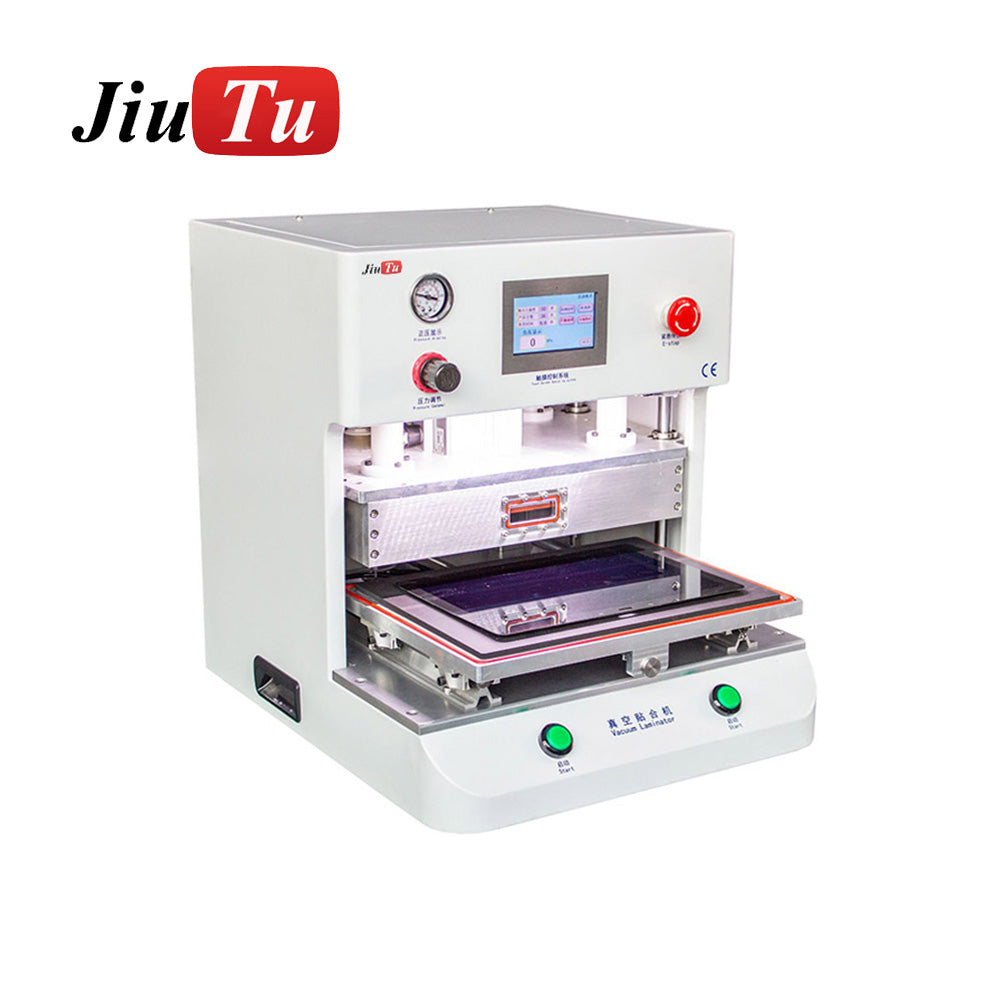
In this kind of workflow, the laminator is only one stop in a tightly packed routine. Separation, cleaning, OCA placement, lamination, and debubble often happen within the same bench area. A compact setup works because everything around it is compact too.
The practical signal is not whether the machine can still complete the job. It is whether the job still feels normal on it. Once operators begin slowing down before loading, changing hand position twice, or treating larger tablet jobs as “let’s do this one later,” the machine may still be usable but it is no longer the natural fit for the workload.
Mixed-format work: tablets, notebook panels, POS screens, and larger rework
This is usually the hardest category to judge, and it is where many shops keep stretching a compact setup longer than they should. A shop in this middle range is no longer doing mostly phones, but it is not running a full industrial optical bonding line either. One morning might still be filled with common phone jobs. Then a 12.9-inch tablet comes in. Then a notebook panel. Then a POS display or another larger screen that technically fits, but does not feel easy.
That is why mixed-format repair is the real decision zone for many buyers. Compact machines can often still do some of the work, which makes it tempting to keep going with the current setup. But this is also the point where quiet inefficiencies begin to stack up: extra cleaning because the panel got handled twice, slower alignment because the operator is being more careful, more end-of-day jobs because nobody wants to rush a larger substrate, and repeated short delays that do not look serious one by one but add up across the week.
A broader LCD laminating machine setup starts making more sense here because it removes some of that awkwardness before it turns into routine friction. At that stage, a larger optical bonding or adhesive laminating machine offers more working room and can be a better match for repeated mixed-format jobs.
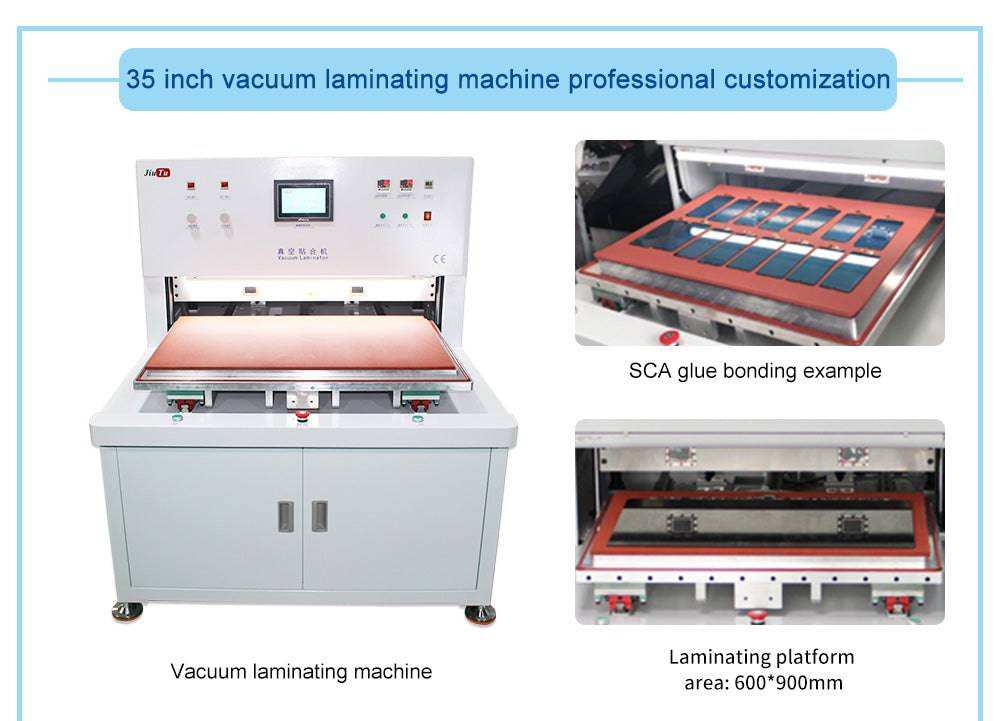
This middle range is also where shops make the most common selection mistake: they judge the machine by the biggest panel it can technically take, instead of by how comfortably it handles the work that keeps coming in every week. A panel that can be forced through once is not the same as a panel that fits the workflow well.
Another common mistake is the opposite one: buying too large, too early, just because future growth sounds attractive. A shop that is still overwhelmingly phone-led can end up with a heavier, slower routine than it really needs. The answer in the middle is not “always upgrade.” It is to notice when larger screens have stopped being occasional exceptions and started becoming part of the weekly pattern.
Industrial displays and larger optical bonding work
Some jobs move beyond repair-bench logic altogether. Once the workflow includes larger industrial displays, vehicle screens, signage, or higher-value bonded modules on a regular basis, the machine decision becomes less about flexibility and more about repeatability.
In that range, the shop is no longer just asking whether a panel can be laminated. It is asking whether the process stays stable from job to job, whether fixtures and utilities are properly matched, and whether rework risk is still under control once panel value goes up. That is where a larger LCD laminating machine platform begins to make more sense than a compact bench setup.
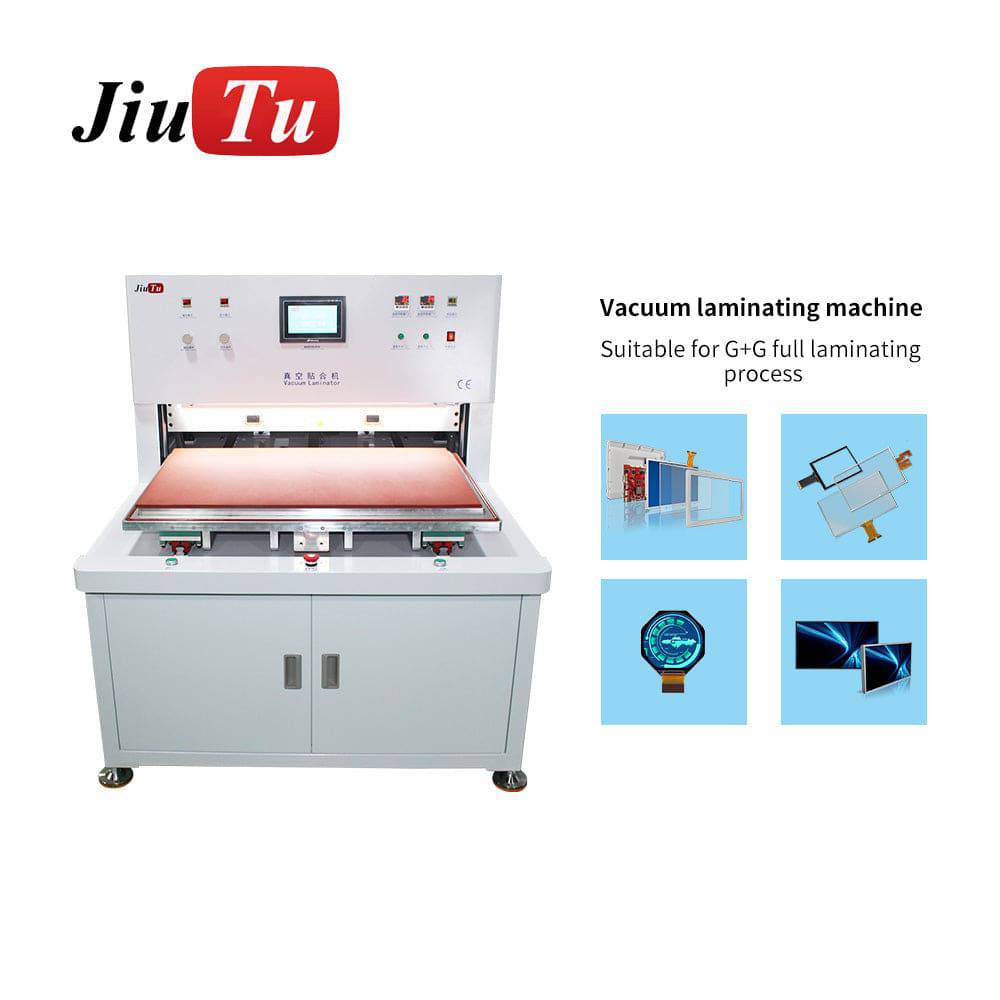
Large panels magnify small mistakes. Thin notebook screens, curved OLED assemblies, vehicle displays, and industrial modules are simply less forgiving. Once the work has clearly outgrown bench logic, the equipment choice has to reflect that reality too.
A Simple Comparison Table
| Setup | Best Fit For | Main Advantage | What to Watch |
|---|---|---|---|
| Compact OCA laminator | Phones, common tablets, fast screen refurbishing | Easy changeover, small footprint, bench-friendly workflow | Starts feeling tight once larger tablets and notebook panels appear regularly |
| Mid-size LCD laminating machine | Tablets, notebook panels, POS displays, mixed-format repair | Better handling for larger panels and steadier bonding across varied jobs | Needs more space, more fixture discipline, and a calmer process around larger panels |
| Large optical bonding machine | Vehicle displays, industrial modules, signage, larger bonded screens | Better repeatability for larger and higher-value work | Utilities, training, tooling, and downstream process matching matter much more |
For most repair shops, the best LCD laminating machine is not the one with the largest advertised size. The right LCD laminating machine is the one that matches your panel mix, daily output, and changeover rhythm.
What Actually Changes the LCD Laminating Machine Decision
Working area is really about handling, not just size
Working area matters because it changes how a panel is handled before the lamination cycle even begins. If loading feels cramped, alignment usually slows down before the cycle has even started. If alignment takes longer, the job becomes something operators mentally set aside for “when there’s more time.” That is usually the first hint that the current machine class is being stretched beyond its comfortable range.
Changeover and mold reality matter more than many shops expect
Changeover is one of those things that looks manageable on paper and becomes very real in daily use. Compact OCA laminators are often attractive because they keep model changes simple. Larger platforms may require more fixture planning, customized molds, or calmer handling depending on the product.
That tradeoff matters most in high-mix repair shops. If the bench keeps switching from one phone model to another, no-mold convenience saves time and mental load. Once the work shifts toward larger repeated formats, dedicated fixtures can become worth it. Shops that ignore that tradeoff often get stuck in the middle.
Panel sensitivity changes the cost of a bad fit
As panels get larger, thinner, curved, or more expensive, a bad fit costs more even when the machine still “works.” A larger LCD laminating machine is not only about taking bigger screens. It is also about reducing uncertainty around those screens.
That matters especially in the mixed zone. A phone job might survive a slightly awkward process without major drama. A thin notebook panel or a higher-value display is much less forgiving. Rework is slower, riskier, and more expensive. Shops usually feel that change before they can describe it precisely.
The laminator is only as good as the rest of the process around it
Lamination never happens alone. In most phone screen repair and refurbishing workflows, the laminator sits between earlier preparation and later debubble or autoclave treatment. That means a buying decision should never stop at machine size alone.
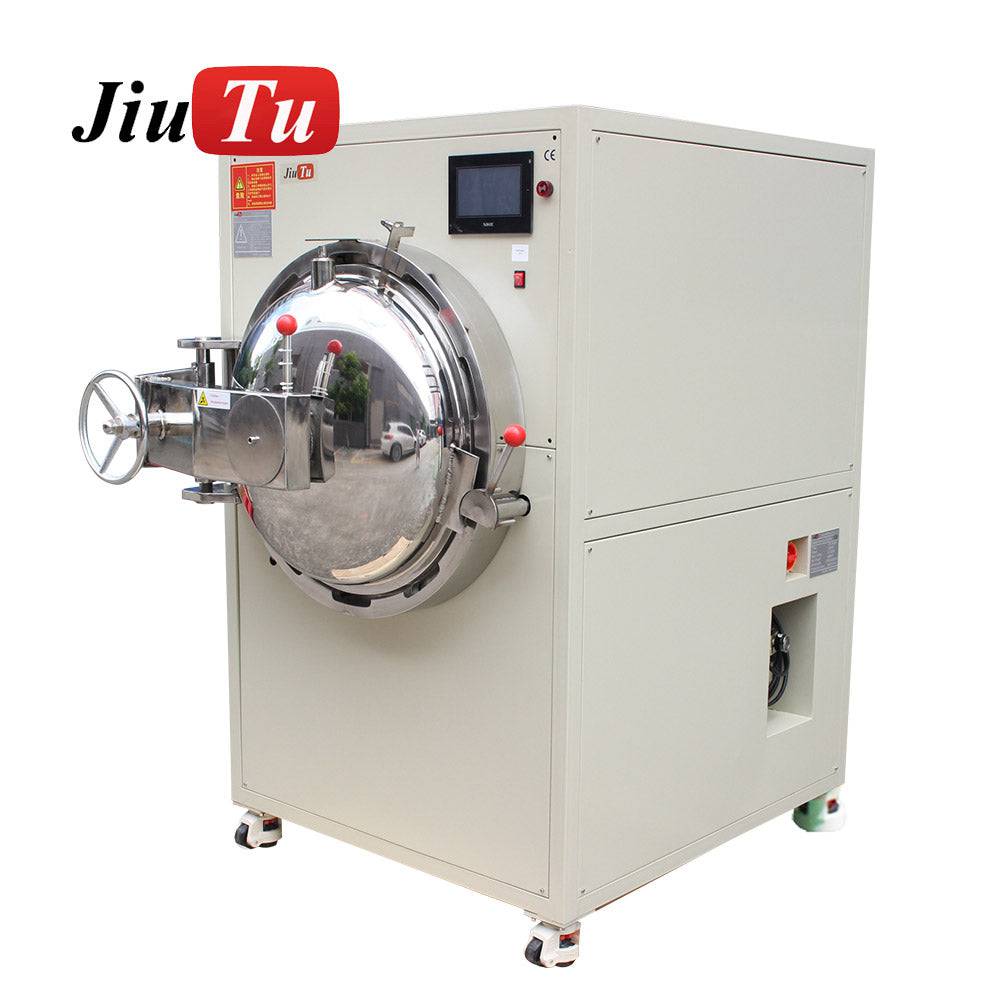
If front-end cleaning is inconsistent, lamination ends up taking the blame for defects it did not create. If debubble capacity cannot keep up, the bottleneck has not disappeared; it has simply moved one station down the line. If fixture or mold changes take too long, paper uptime stops meaning much in real production.
Utilities and training follow the same logic. A compact machine may fit a small workshop well, while a larger LCD laminating machine class usually asks for more floor space, more careful setup, and steadier process discipline around it.
How to Choose the Right LCD Laminating Machine for Your Shop
The most reliable way to choose is to look backward before looking forward. The last 60 to 90 days of real jobs usually tell the truth better than a future wish list.
If the work is still mostly phones and common tablets, a compact OCA laminator usually remains the stronger fit. If the shop has started taking a steady stream of larger tablets, notebook panels, POS screens, or similar mixed-format jobs, and the current setup keeps creating little moments of hesitation during loading or changeover, that is usually the real upgrade signal.
If larger screens are showing up every week, upgrading to a broader LCD laminating machine setup can reduce handling friction, improve consistency, and make screen refurbishing workflows easier to manage.
If larger industrial displays, vehicle screens, or other bonded modules are already regular work, it makes more sense to choose equipment as part of a full process plan rather than as a simple bench upgrade.
A short checklist before ordering
- Which screen sizes actually showed up most often in the last 60 to 90 days
- Whether the workflow is still phone-led or already mixed with larger panels
- How often model changes happen in a normal shift
- Whether debubble capacity, such as an OCA Bubble Remover Machine, already matches the lamination pace
- Whether power, air supply, floor space, and fixture handling are ready for the next machine class
- Whether training, support, and changeover discipline are realistic for the workload the shop is actually planning to take on
LCD Laminating Machine FAQ
Is an OCA laminator the same as an LCD laminating machine?
Not exactly. In repair-shop language, an OCA laminator usually refers to the compact side of the category for phones and smaller tablets. An LCD laminating machine is a broader term that can include compact OCA laminators, larger vacuum laminators, and optical bonding equipment.
Why do mixed-format shops struggle most with this decision?
Because compact equipment can often still handle some larger jobs, which makes it easy to keep postponing the upgrade. The cost usually does not show up as one obvious failure. It shows up in repeated awkward handling, slower rhythm, more cautious loading, and jobs that quietly consume more time than they should.
Besides size, what matters most?
Changeover speed, mold or fixture reality, panel sensitivity, debubble capacity, utilities, and training all matter. The best machine is the one that fits the whole workflow, not just the panel size on paper.
Final Take
For most shops, the LCD laminating machine vs OCA laminator decision gets easier once the question changes from “What machine can do this job?” to “What machine makes our normal jobs feel routine?”
If the work is still centered on phones and common small-tablet refurbishing, compact flexibility usually matters more than oversized capability. If larger tablets, notebook panels, POS displays, and similar jobs have started showing up every week rather than once in a while, staying with a compact setup often costs more than it first appears. And if the workload already includes larger industrial or vehicle-display bonding on a regular basis, the conversation usually needs to move beyond bench equipment and toward a fuller optical bonding process.
Seen that way, Jiutu’s range makes practical sense as a lineup: compact machines for phone-led repair, mid-size options for mixed-format growth, and larger systems for industrial-style display bonding.
The right choice is usually the one that removes hesitation from the jobs already coming through the shop every week, instead of forcing the team to keep working around the machine.
If you are comparing a compact OCA laminator setup with a broader LCD laminating machine solution, contact Jiutu for a quote, sample-machine advice, or a configuration recommendation based on your screen list, daily output, and workshop conditions.